Motionflare
Add a website address to create a brand promotion video.
Introduction
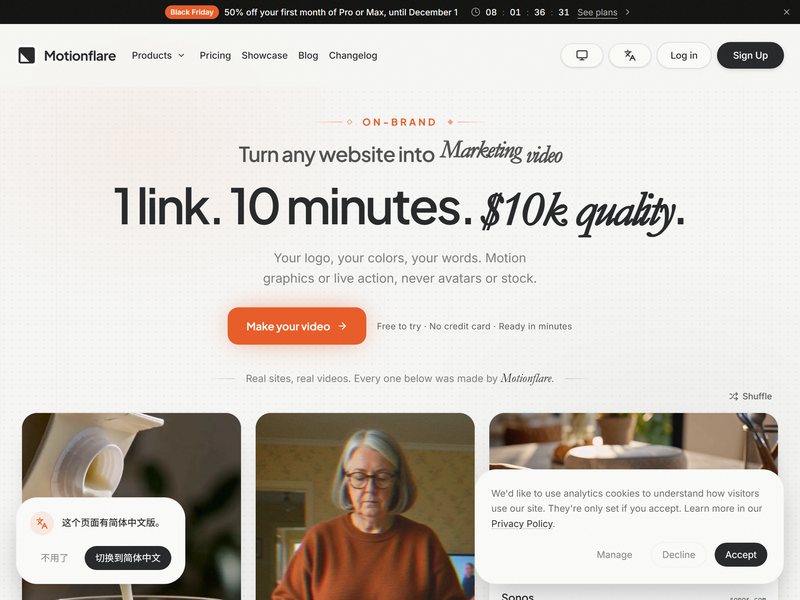
What Motionflare does is very simple: simply provide it with a website address or a brief description of the product, and it will generate a promotional video that can be used immediately for dissemination. It will analyze your website, retrieve the actual logo, color scheme, and copywriting, and then create either an animated graphic video (Motion) or a live-action-style commercial (Film), complete with appropriate music and narration. The official website clearly states that no digital avatars or footage from any material library are required.
Most of these promotional videos are either 15 seconds or 30 seconds in length. According to the official statement, one link can contain content lasting around ten minutes. On the home page, a series of sample videos were displayed, which were created using websites such as Runway, Notion, and Supabase. The style of these videos is more in line with clean, professional promotional materials typically used for launching technological products.
It can be tried for free without the need to link a credit card. For paid versions, there are two options: Pro and Max. On the night before the product was launched, there was still a need for an independent developer to create a promotional video; this requirement perfectly matched the skills of the marketing team, which releases new videos every week. However, if you want real people to appear in the video or if you need a more complex storyline, this platform is not suitable for those needs.
Before using it to create vertical short-form dramas, you can first check in TVLab how popular shows on the same topic begin and at which episode the plot takes a turn. Then, select an inspiration card that contains a detailed breakdown of the scenes and use it to generate each sequence one by one, based on the camera angles specified in the card.