AI TOOL / #01852
SheetAI.app
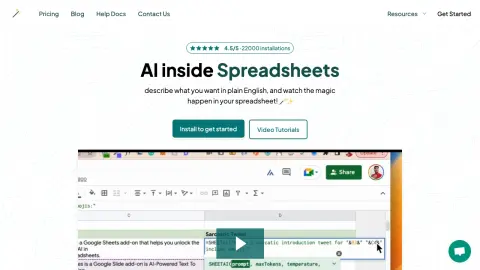
An AI-powered plugin for Google Sheets, used for formula generation, content creation, and data analysis.
Introduction
AI-powered Google Sheets add-on for formula generation, content creation, and data analysis.
What is SheetAI?
SheetAI is an artificial intelligence-based tool designed to quickly convert text instructions into Google Sheets formulas. It allows users to leverage AI directly within Google Sheets to automate tasks, generate content, and analyze data. SheetAI remembers context, trains on specific data, and provides instant answers to English questions within a spreadsheet environment.
How to use SheetAI?
Install SheetAI from the Google Workspace Marketplace, launch it through Google Sheets' plugins menu (Extensions > SheetAI App > Launch), and describe your needs in plain English. SheetAI will generate the corresponding formulas or content directly in your spreadsheet.
SheetAI’s core features
AI-based formula generation
AI with memory and context (SHEETAI_BRAIN)
Structured content generation (SHEETAI_LIST)
Smart Autofill and Data Enhancement (SHEETAI_EXTRACT)
AI Q&A function within tables
AI with memory and context (SHEETAI_BRAIN)
Structured content generation (SHEETAI_LIST)
Smart Autofill and Data Enhancement (SHEETAI_EXTRACT)
AI Q&A function within tables
Related
Geospatial Analysis for Agriculture
Cybertiks uses AI and satellite data for sustainable agriculture analysis and carbon farming.
GladMail-LinkedIn
Extensions for LinkedIn lead extraction and email collection, compatible with Grand Data integration.
SafeWaters.ai
Application of shark attack risk prediction using artificial intelligence and historical data.
Warehouse Optimization
Keebo is an automated Snowflake optimizer designed to help reduce costs and optimize performance.
Axiom Browser Automation & Web Scraping
No-code browser automation and RPA tools for website operations and data extraction.
Arcana Vibes
Personalized Tarot readings and astrological insights are provided based on AI and an individual's birth chart.