AI TOOL / #02460
Ultimaps
Map visualization tools enable the creation of interactive and customized maps based on data or provided guidelines.
Introduction
Map visualization tool for creating interactive and custom maps from data or prompts.
What are Ultimaps?
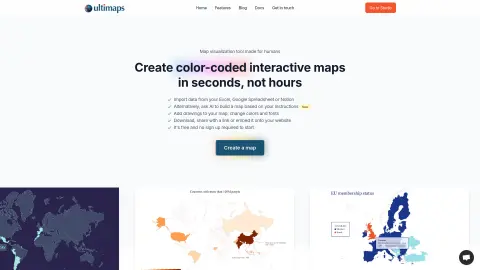
Ultimaps is a map visualization tool designed to help users quickly create stunning maps and charts. It enables users to generate visually appealing color-coded maps and charts based on data or provided prompts, add interactive elements without requiring any coding knowledge, and then download, share these maps or embed them in any desired location. Ultimaps focuses on making the process of creating maps more user-friendly by optimizing color schemes, scaling options, and legend layouts to enhance the understanding of the presented data.
How to use Ultimaps?
Users can create maps by importing data from spreadsheets or by providing descriptions of the maps they need. The platform’s algorithms analyze the data, select appropriate colors and scales, and generate legends accordingly. Users can then adjust the visual style, add annotations, and export or embed the maps as needed.
The core features of Ultimaps
Intelligent map coloring
Interactive map creation
Data import and map generation based on user prompts
Customizable styles and annotations
Export and Embed options
Interactive map creation
Data import and map generation based on user prompts
Customizable styles and annotations
Export and Embed options
Related
CuriousLM
Local private AI without registration
Shulex Copilot
AI-powered e-commerce tools assist sellers in analyzing data, optimizing product listings, and enhancing customer service.
CrePal AI
AI video creation agency, automated video production.
Harvy AI Compliance Co-Pilot
The AI platform is utilized to automate the processing of NHVR work logs and ensure compliance with relevant regulations.
ML.ai
A programming agent that automatically selects models step by step
BashSenpai
An AI-driven terminal assistant that converts text into executable commands.