AI TOOL / #02529
Text to Google Calendar
Chrome extension: Allows users to create Google Calendar events directly from highlighted text.
Introduction
Chrome extension to create Google Calendar events from highlighted text.
What is the Text to Google Calendar AI Chrome extension/plug-in?
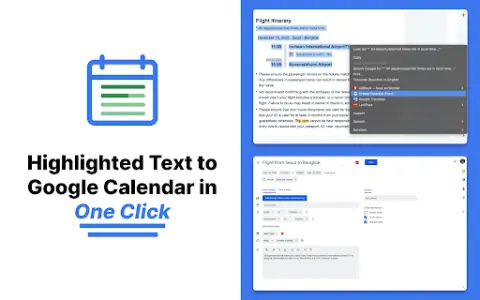
Text to Google Calendar is a Chrome extension designed to simplify the process of creating events on Google Calendar. It allows users to highlight text from emails or web pages and convert that text into calendar events with just one click, eliminating the need to manually copy and paste event details.
How to use the Text to Google Calendar AI Chrome extension?
Install the Text to Calendar Chrome extension. Highlight the relevant text containing event details (date, time, description, location) on a web page or in an email. Click the extension icon, and it will automatically use the extracted information to create a Google Calendar event.
The core functionality of the Text to Google Calendar AI Chrome extension.
Click to create an event based on the highlighted text.
Automatically fill in the time zone, location, and event details.
Easily create multiple and duplicate calendar events.
Automatically fill in the time zone, location, and event details.
Easily create multiple and duplicate calendar events.
Related
Rodeo – Your Creator Assistant
A toolkit provided for UGC creators to automate external brand communications and manage collaborations effectively.
Tanka
The AI MESSENGER with LONG-TERM MEMORY for TEAMS.
Neurelo
Neurelo: An AI-driven database interface that supports secure, real-time data access via AI proxies.
Edumiro
An artificial intelligence-driven digital education platform that simplifies the learning process for both students and teachers.
Moontower
Moontower AI offers option analysis tools that use proprietary charts to track the volatility of various asset classes.
Dashworks ai
Dashworks unifies company knowledge to provide instant AI answers across all applications.