AI TOOL / #02660
Grok Button
A browser extension that provides quick access to Grok AI.
Introduction
A browser extension for quick access to Grok AI.
What is a Grok Button?
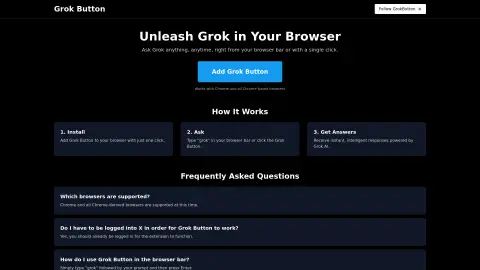
The Grok button is a browser extension that seamlessly integrates the powerful capabilities of Grok AI into your web browser. Users can submit their questions by entering “grok {your question}” in the browser address bar or by clicking the Grok button, and they will receive instant, intelligent responses.
How to use the Grok Button?
Install the Grok button extension. To use it, enter “grok” followed by your question in the browser address bar, then press Enter, or click the Grok button.
The core functionality of the Grok Button
Quickly access Grok AI from your browser.
Answer questions immediately
Integration with Chrome and Chrome-based browsers
Answer questions immediately
Integration with Chrome and Chrome-based browsers
Related
MailMentor | Sales Copilot
A sales assistant for personalized outreach messages.
Reddit Roast
AI-powered analysis of Reddit user profiles offers humorous insights and personalized observations.
Mindgrasp
The AI learning platform transforms content into useful tools for learning, including notes, flashcards, quizzes, and summaries.
Superdraft
Help e-commerce businesses identify the right timing for marketing campaigns and craft effective email messages.
AutoCalls.ai – AI Phone Communications
An AI-driven platform uses AI assistants to revolutionize telephone communications and enhance customer interactions.
ScholarCopilot
Integrated large language models (LLMs) such as ChatGPT to improve the quality of paper writing