AI TOOL / #02711
AI Perfect Assistant – GPT for Office365
An AI assistant for Office 365 to automate tasks and increase productivity.
Introduction
AI assistant for Microsoft Office 365 to automate tasks and enhance productivity.
What is AI Perfect Assistant?
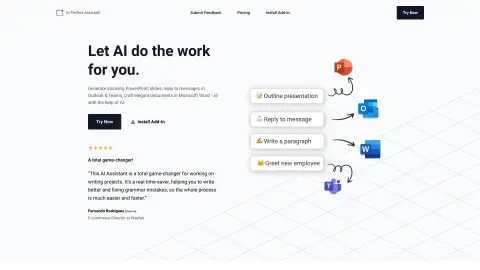
The AI perfect assistant is seamlessly integrated into the Microsoft business suite to help you and your team be more efficient. Generate PowerPoint slides, reply to emails in Outlook and Teams, and compose elegant documents in Microsoft Word. It uses AI to automate tedious business tasks, working within applications such as PowerPoint, Word, Outlook, Teams, and Excel to generate replies, summarize email threads, enhance drafting, create formulas, normalize data, and more.
How to use AI Perfect Assistant?
Install the AI Perfect Assistant plug-in in the desired Microsoft application (PowerPoint, Word, Outlook, Teams, Excel). Sign in with your Microsoft work or school account. Use AI capabilities in your app to generate content, reply to messages, check grammar, and more.
Core features of AI Perfect Assistant
Generate PowerPoint slides
Generate and summarize email responses in Outlook and Teams
Compose documents and check grammar in Word
Create formulas and normative data in Excel
Translate messages and customize the tone in Teams
Generate and summarize email responses in Outlook and Teams
Compose documents and check grammar in Word
Create formulas and normative data in Excel
Translate messages and customize the tone in Teams
Related
AgileHero
A Kanban board that AI assistants can operate directly.
ProbeAI
An AI assistant for data analysts that helps generate, repair, and optimize SQL code.
Gorgias
A dialogue-based artificial intelligence platform designed for e-commerce, which automates and facilitates the sales process.
Autopilot for Slack
AI assistant: Unify company data to quickly answer questions related to the workplace.
New Open CX
An integrated platform for AI customer service and outbound sales calls
Floatboat
Calendar-driven proactive Agent