AI TOOL / #03932
Recap: Smart Split and Summarize with ChatGPT
An open-source browser extension that uses ChatGPT to summarize web page text.
Introduction
Open-source browser extension for summarizing webpage text using ChatGPT.
What is the Recap AI Chrome extension/plug-in?
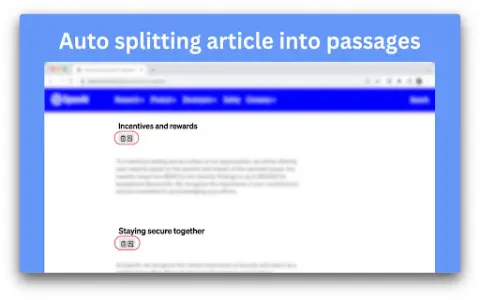
Recap is an open-source browser extension that utilizes ChatGPT to summarize the text on web pages. It divides articles into multiple paragraphs, allowing users to summarize specific sections or the entire page. Recap also supports summarizing selected text and providing a recap of previous content before moving on to a new paragraph.
How to use the Recap AI Chrome extension/plug-in?
Install the Recap extension using the provided source code. Once the installation is complete, navigate to a web page and use this extension to summarize the entire page, specific paragraphs, or selected text. You can also configure settings such as the ChatGPT model and API key.
Summary of the core features of the Recap AI Chrome extension/plug-in
Automatically divide the article into multiple paragraphs.
Summarize the entire page content.
Summarize the text in the paragraph.
To review the previous content before moving on to a certain paragraph.
Summarize the text selected by the user.
ChatGPT that supports the use of custom models
Support for using custom API hosts as well as the official OpenAI API that utilizes predefined API models.
Custom prompt
Enable/disable the switch for individual domain names or pages.
Users are able to configure settings for different websites.
Dark mode
Supports keyboard shortcuts
Summarize the entire page content.
Summarize the text in the paragraph.
To review the previous content before moving on to a certain paragraph.
Summarize the text selected by the user.
ChatGPT that supports the use of custom models
Support for using custom API hosts as well as the official OpenAI API that utilizes predefined API models.
Custom prompt
Enable/disable the switch for individual domain names or pages.
Users are able to configure settings for different websites.
Dark mode
Supports keyboard shortcuts
Related
Unearthed
An AI-powered tool for extracting highlights and analyzing notes from Kindle books, which integrates seamlessly with note-taking apps.
Let Me GPT That For You
Generate a shareable you.com link that includes search results generated using large language models.
INK
AI-powered content marketing and SEO assistance tools
PeerAI
AI-powered personalized learning tools offer interactive materials designed to enhance academic performance.
Crane
An AI-driven personal knowledge base that provides daily summaries of the content one has read.
Image to Text Converter
Online OCR tool to extract text from images, free to use.