HiBit Uninstaller
HiBit Uninstaller HiBit Uninstaller is a free, compact, and powerful Windows system software uninstall tool that can completely uninstall software without leaving any residue! As we all know, we use the uninstaller that comes with the software or Win
Introduction
HiBit Uninstaller
HiBit Uninstaller is a free, compact, and powerful Windows system software uninstallation tool that can completely uninstall software without leaving any residue!
As we all know, we cannot use the uninstall program that comes with the software or the uninstall function of the Windows system to clean up the remaining files and registry information during the use of the software. Over time, these residual files will waste computer space and affect the running speed of the computer.
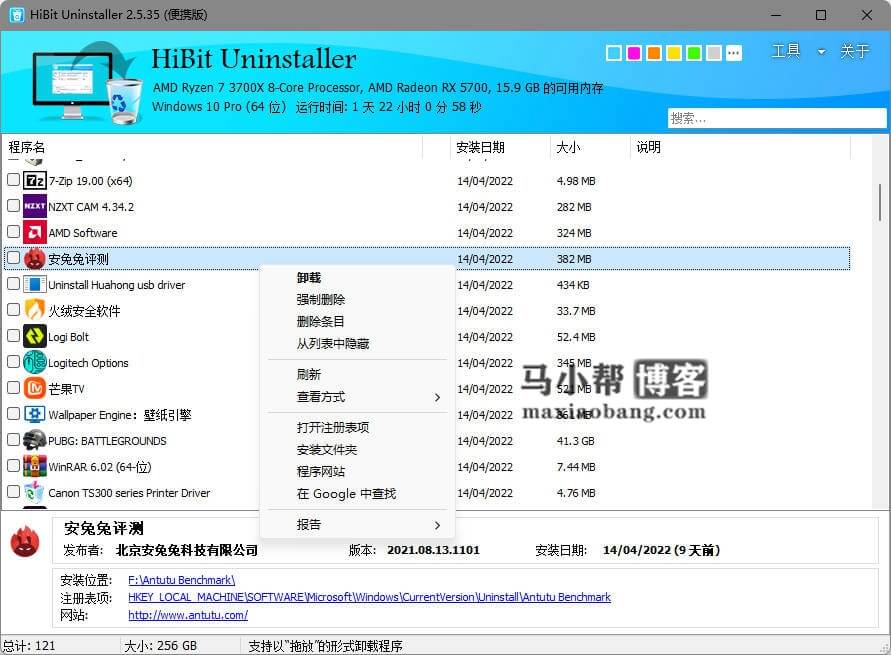
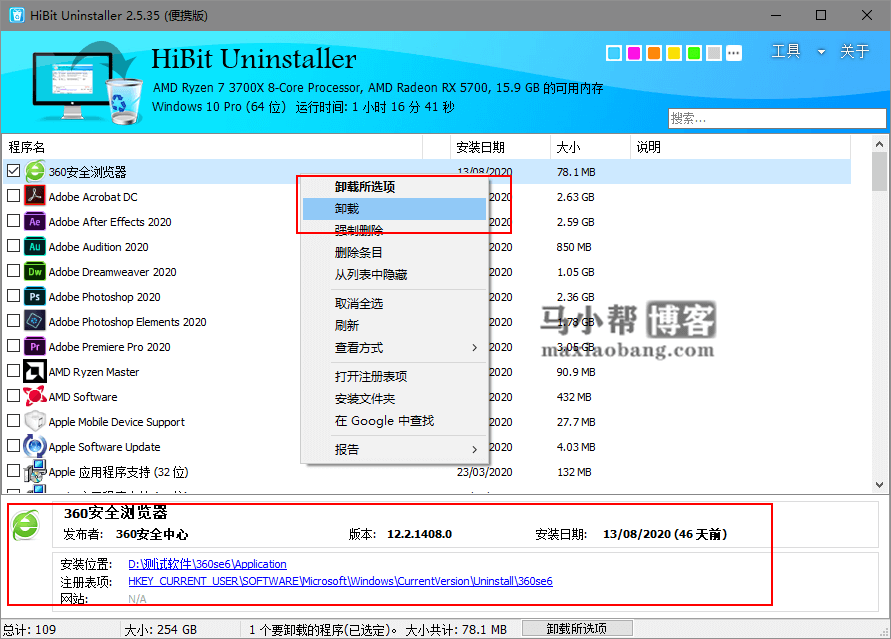
HiBit Uninstaller is a green single file version with a size of only 3.7M., you can use it without installation or opening. After opening the software, it will automatically identify all the software installed in the computer, select the software that needs to be uninstalled, and right-click to uninstall. It also supports batch uninstallation!
You can also use HiBit Uninstalle to see the detailed information of the software, installation location, installation date, version, registry, etc.!
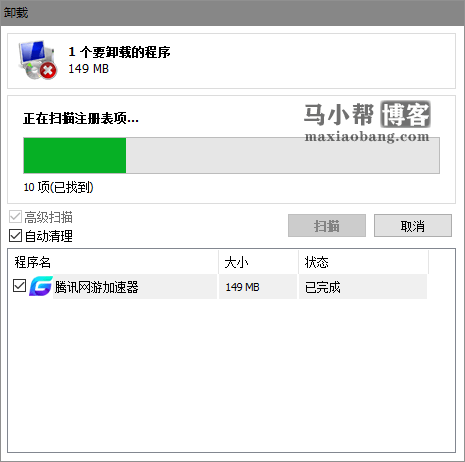
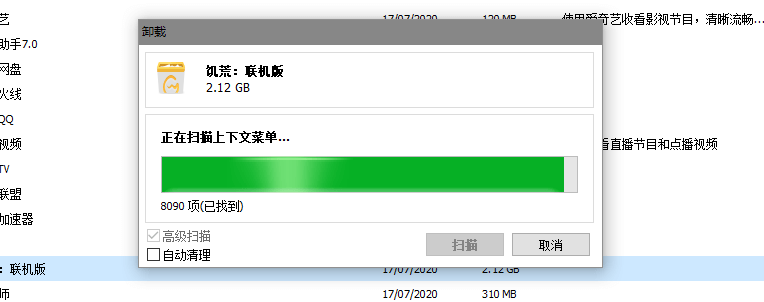
Here’s the key point, HiBit Uninstaller not only helps you uninstall the software, it will also scan the remaining junk files and registry entries of the software after the uninstallation is completed, and automatically remove them for you!
Some of the more difficult software have no uninstaller at all, we can also use"Force deletion"Function, the forced deletion function will directly scan the installation directory and registry and delete them all!
Do you think HiBit Uninstaller is just a powerful uninstall tool?In addition to the uninstall function, it also has many small functions in the tool options in the upper right corner.
For example, the App Store application management function allows you to uninstall Windows built-in applications!
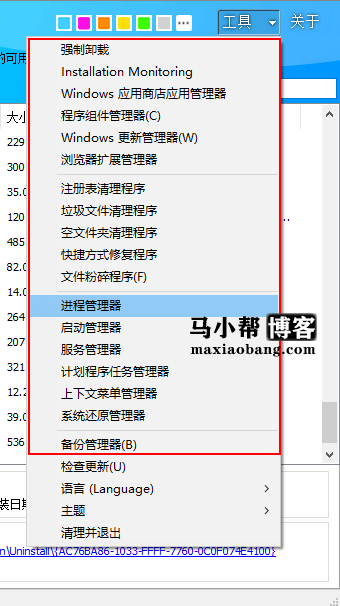
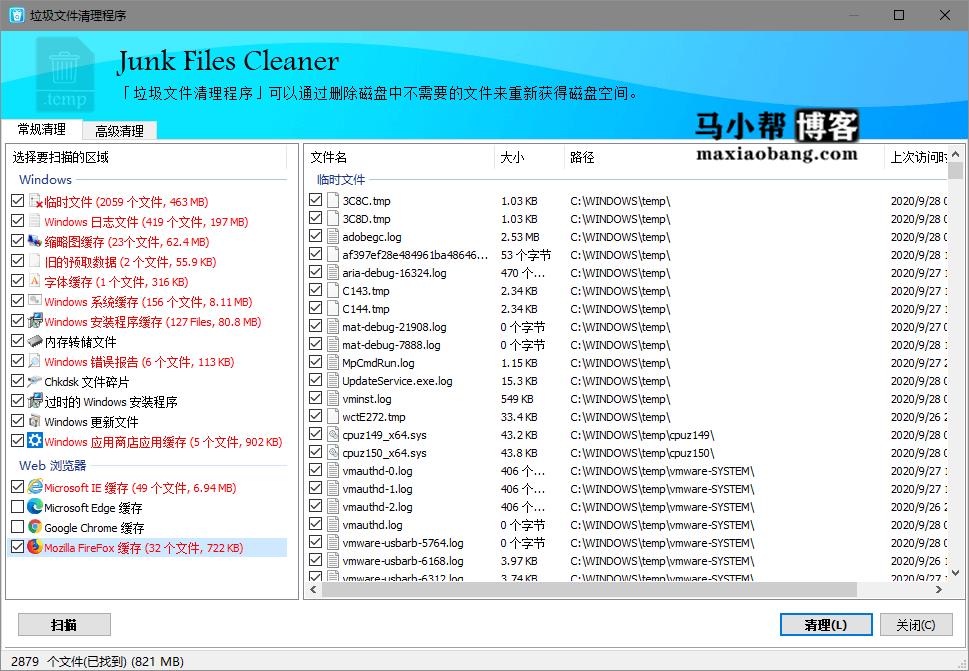
The garbage cleaning function, registry cleaning, file shredding, and some system service management functions are all very practical and are integrated into this small tool with only 3M.
feature
- Completely uninstalls programs, leaving no residue
- Force uninstall removes any stubborn software
- Remove multiple programs at once
- Monitoring program installation
- Uninstall Windows Store apps
- Remove browser extensions
- Shred sensitive documents
- Fix registry issues and improve your PC performance
- Remove junk files and unnecessary program files
- Delete invalid shortcuts in the system
- Find empty folders on your hard drive
- Manage programs and services starting in Windows
- Manage Windows system restore points
Official website address
http://hibitsoft.ir/Uninstaller.html