AI TOOL / #05876
Do Browser
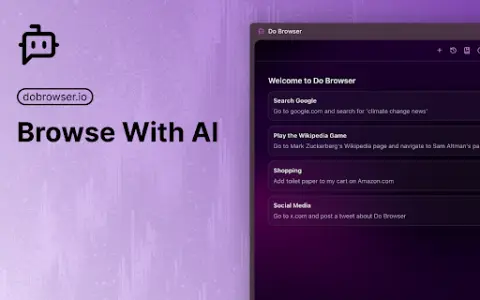
An AI-powered Chrome extension that enables control of the browser via natural language commands.
Introduction
AI-powered Chrome extension for browser control using natural language.
What is a Do Browser AI Chrome extension/plug-in?
Do Browser is an AI-powered extension for Chrome that allows users to control their browser using natural language commands. It provides quick access through the address bar or keyboard shortcuts and also supports voice commands. Its purpose is to simplify tasks such as filling out forms, shopping, and navigating complex web interfaces.
How to use the Do Browser AI Chrome extension/plug-in?
Enter “do” in the address bar or use the shortcut keys Cmd+K/Ctrl+K to activate the Do Browser. Then, use natural language commands to instruct the extension to perform tasks within the browser.
What are the core functions of browser AI Chrome extensions/plugs?
Natural Language Browser Control
Access via the address bar and keyboard shortcuts
Voice command support available
Access via the address bar and keyboard shortcuts
Voice command support available
Related
Iconi Ai
An all-round AI platform designed for content generation, automation, and the enhancement of productivity.
text to speech ai
Best text-to-speech AI tool for reading online content and converting text to MP3.
Voqul
Artificial intelligence-powered tools used to convert audio and create unique, AI-generated musical experiences.
Cognigy
An AI platform for enterprise customer service and contact centers.
CaptionCreator
Online AI subtitle generator, designed for fast and accurate generation of video subtitles and translations.
ChatGPT – Lets talk
A Chrome extension that adds voice control and text-to-speech functionality to ChatGPT.