AI TOOL / #05985
Voiceboost – ChatGPT
A Chrome extension designed for voice-controlled interaction with ChatGPT.
Introduction
Chrome extension for voice-controlled ChatGPT interaction.
What is the Voiceboost AI Chrome extension/plug-in?
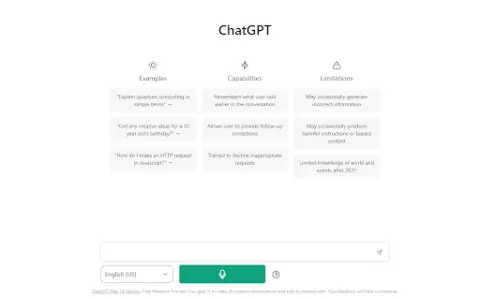
Voiceboost is a Chrome extension that allows users to interact with ChatGPT via voice commands. It adds a button below the input field; by clicking this button, the system captures the user’s verbal inquiries and sends them to ChatGPT for responses. This provides a hands-free alternative for entering text.
How to use the Voiceboost AI Chrome extension/plug-in?
Click the button added below the input area to start recording your voice input. Alternatively, use the keyboard shortcuts: Ctrl+Shift+S (Windows) or Command+Shift+S (Mac) to begin recording, and Ctrl+Shift+E (Windows) or Command+Shift+E (Mac) to stop and submit the recording. Make sure to grant microphone access when prompted.
The core functionality of the Voiceboost AI Chrome extension/plugin
Voice input for ChatGPT
Keyboard shortcuts for voice capture and submission
Keyboard shortcuts for voice capture and submission
Related
EchoVoiceAI
Voice cloning and sound design applications are used for cloning, imitating, and creating new sounds.
Observe.AI Screen Recording
Browser extension for recording an agent's screen during customer interactions, for use with Observe.AI.
Speedy Audios
SpeedyAudios allows users to transcribe WhatsApp audio messages into text, making it convenient for quick browsing and searching.
VidNarrate
A tool that uses AI to easily generate faceless videos.
Choice
AI-powered tools for transcription, dubbing, content moderation, and subtitle generation.
Podsqueeze
An AI-driven tool that helps podcasters generate and customize a variety of content from audio/video.