AI TOOL / #06135
Ask Screenshot for ChatGPT
Improve ChatGPT productivity by analyzing screenshots and selected text.
Introduction
Enhances ChatGPT productivity by analyzing screenshots and selected text.
What is the Ask Screenshot AI Chrome extension/plugin?
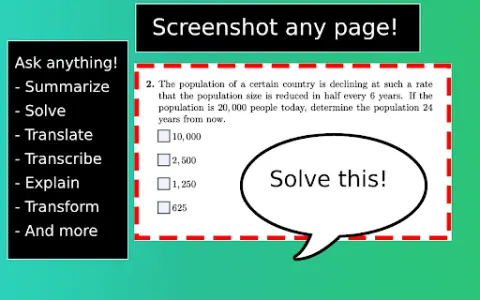
Ask Screenshot is a tool designed to improve productivity in ChatGPT, allowing users to analyze screenshots or selected text directly within ChatGPT. It offers features such as summarization, transcription, and translation, making it easier to extract information and process content from visual and textual sources.
How do I use the Ask Screenshot AI Chrome extension/plugin?
To use Ask Screenshot, right-click anywhere on any page and hover over Ask GPT to access the available screenshot templates. For selected text, right-click the selected text and hover over Ask GPT to view the available templates.
Core features of the Ask Screenshot AI Chrome extension/plugin
Screenshot and analyze: Take a screenshot and automatically open it in ChatGPT for analysis.
Text selection and analysis: Right-click any selected text to automatically open it in ChatGPT.
Text selection and analysis: Right-click any selected text to automatically open it in ChatGPT.
Related
SpeechFlow – Advanced Speech-to-Text API
Multilingual speech-to-text API, offering high accuracy in 14 languages.
Whisper Notes
A local voice-to-text transcription application based on OpenAI's Whisper model.
voicechanger.io
A free online voice changer that offers a variety of effects.
Lingolette
Lingolette is an AI-powered language learning platform designed to enhance both oral and written fluency.
AiGenda
AI-based platform for automated meeting summaries and detailed notes.
E-V-A Storyboard
An AI speech generator that generates realistic voiceovers from text.