AI TOOL / #06136
Ask Screenshot for Gemini
Improve productivity by integrating screenshot and text analysis with Gemini.
Introduction
Enhances productivity by integrating screenshot and text analysis with Gemini.
What is the Ask Screenshot AI Chrome extension/plug-in?
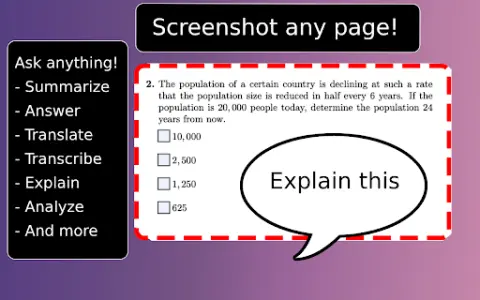
Ask Screenshot is a tool designed to enhance productivity by directly integrating screenshot and text selection analysis with Gemini. It enables users to quickly capture screenshots or select text, and then use Gemini to perform tasks such as summarizing, transcribing, interpreting, translating, or carrying out other operations based on predefined or customizable templates.
How to use the Ask Screenshot AI Chrome extension/plug-in?
To use “Ask Screenshot”, simply right-click on any page and hover over “Ask Gemini” to access the available screenshot templates. For selecting text, right-click on the desired text and hover over “Ask Gemini” to view the available templates.
Explore the core features of the Screenshot AI Chrome extension/plug-in.
Take a screenshot and perform analysis: After capturing the screenshot, Gemini will automatically be used to conduct the analysis.
Select and analyze text: Right-click on any selected text to automatically have Gemini perform the analysis.
Select and analyze text: Right-click on any selected text to automatically have Gemini perform the analysis.
Related
MiniMax Audio
MiniMax Audio creates lifelike speech in multiple languages, with a variety of sounds.
Podsqueeze
An AI-driven tool that helps podcasters generate and customize a variety of content from audio/video.
TranscriptionPlus
An AI-powered speech-to-text service that boasts high accuracy and affordable pricing.
Reflect AI
A minimalist note-taking app that incorporates backlinks and local AI integration to enhance thinking and writing abilities.
AI Cover
A free AI song cover generator available for content creators and music enthusiasts.
Vexa
An artificial intelligence platform used for recording, transcribing, and summarizing video calls.