AI TOOL / #06413
Audiotext AI
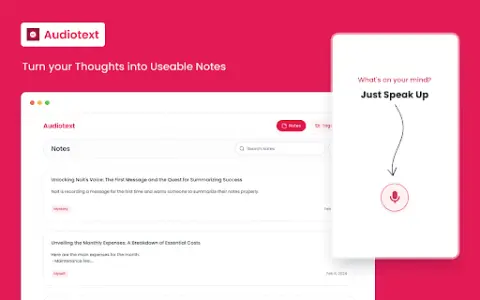
Audiotext AI converts audio to text, removes filler words, and offers multiple transcription styles.
Introduction
Audiotext AI converts audio to text, removing filler words and offering various transcription styles.
What is the Audiotext AI AI Chrome extension/plugin?
Audiotext AI can convert audio into accurate text by removing unnecessary words and generating concise summaries. It allows users to transcribe speech into text, offering multiple styles such as short summaries, bullet points, passive voice, and active voice.
How do I use the Audiotext AI Chrome extension/plugin?
1. Speak naturally, including filler words. 2. Choose a transcription style (short summary, long summary, bullet points, etc.). 3. Click "Transcribe."
Core features of the Audiotext AI Chrome extension/plugin
Audio to text
Remove unnecessary words.
Concise Summary
Rewriting with AI for style adjustment
Shareable note link
Remove unnecessary words.
Concise Summary
Rewriting with AI for style adjustment
Shareable note link
Related
AI Phone
An AI application for real-time call translation, transcription, and summarization across multiple languages.
AudioScribe.io
AI-powered transcription services convert audio and video files into highly accurate text versions, while also offering a range of practical functionalities.
TakeNote
AI-powered speech-to-text platform for accurate transcription and improved meeting efficiency.
DialLinks AI Voice Agents
A cloud phone system designed for small and medium-sized enterprises as well as startups, equipped with an AI voice assistant.
DoThread
A simple, privacy-focused app for organizing notes, tasks, and ideas into time-based threads.
read-this.ai
An AI tool that converts articles into audio files of podcast quality, making them easy to listen to.