AI TOOL / #06632
Talk to GPT
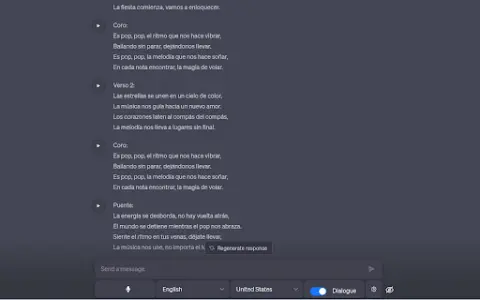
A Chrome extension designed for voice interaction with ChatGPT, supporting multiple languages and error correction features.
Introduction
Chrome extension for voice interaction with ChatGPT, supporting multiple languages and error correction.
What is the Talk to GPT AI Chrome extension/plug-in?
“Dialogue with GPT” is a Chrome extension that enables users to interact with ChatGPT on chat.openai.com via their microphone. It utilizes the browser’s speech recognition API to convert spoken audio into text and supports multiple languages. Users can also adjust the language settings and enable ChatGPT’s error-correction functionality.
How to use the Talk to GPT AI Chrome extension/plug-in?
Install the Talk to GPT Chrome extension. Visit chat.openai.com and use your microphone to utter your query. This extension will transcribe your voice and send it to ChatGPT.
The core functionality of the GPT AI Chrome extension/plug-in.
Provide voice input for ChatGPT.
Multi-language support
Language level adjustment
ChatGPT corrects errors.
Multi-language support
Language level adjustment
ChatGPT corrects errors.
Related
Grro
An artificial intelligence-driven platform for gaining insights into podcast audiences, designed to help understand and optimize podcast strategies.
Speechmatics
Speech Recognition and Speech Agent APIs
ScribeBuddy Transcribe Audio, Video to Text for free
Free, unlimited audio and video-to-text transcription service.
Cockatoo
An AI-powered platform designed for audio and video transcription as well as translation services.
WhisperTranscribe
Artificial intelligence-based transcription and content generation service with high accuracy and multiple functions.
TTSVox – Free Text to Speech AI
A free online AI tool for converting text to speech, offering unlimited use and support for multiple languages.