AI TOOL / #06677
Voice Control for Netflix
Use voice control to operate Netflix: play, pause, fast-forward, and more.
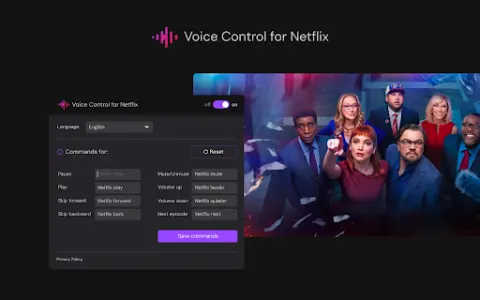
Introduction
Control Netflix with your voice: play, pause, fast-forward, and more.
What is the Voice Control for Netflix AI Chrome extension/plugin?
Netflix’s voice control allows users to manage their Netflix experience via voice commands. This includes tasks such as playing, pausing, and advancing videos, all without the need to use a remote control or touch the screen.
How to use the Voice Control feature for the Netflix AI Chrome extension/plug-in?
Simply enable Netflix’s voice control, and then use voice commands to control playback, navigate the menu, and search for content.
The core functionality of the Netflix AI Chrome extension/plugin for voice control
Use voice control to operate Netflix playback functions (play, pause, fast forward, rewind).
Hands-free navigation, Netflix menu
Voice search for films and TV shows
Hands-free navigation, Netflix menu
Voice search for films and TV shows
Related
Real-Time Video & Audio Translation
An AI-powered real-time translation and transcription extension for Chrome, capable of handling multi-language content.
JobLander
An AI assistant for real-time transcription, summarization, and action item extraction during calls.
Recallify
AI-driven memory assistance, training tools, and productivity applications are designed to assist individuals with cognitive differences.
File Transcribe
AI-powered audio and video file transcription service with multi-language support and advanced features.
PrankGPT
AI based prank call generator using Vocode.
Translate, Transcribe, and Summarize Japanese & English Meetings
JotMe translates, transcribes, and summarizes Google Meet meetings in Japanese and English.