AI TOOL / #06796
AutoPod
An Adobe Premiere Pro plugin for automatic video podcast editing.
Introduction
Adobe Premiere Pro plugin for automatic video podcast editing.
What is AutoPod?
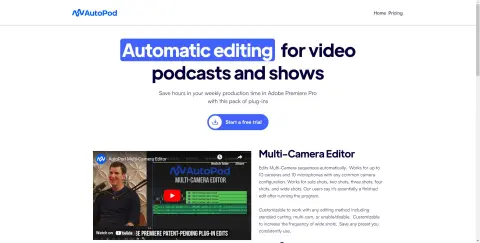
AutoPod is a set of plugins for Adobe Premiere Pro, designed specifically for video podcast and video program editors. It automates tasks such as multi-camera editing, creation of social media-ready content, and seamless editing based on audio silence markers. By streamlining processes that often prove time-consuming for editors, AutoPod helps to save valuable production time every week.
How to use AutoPod?
Install the AutoPod plugin in Adobe Premiere Pro. Open a project file in Premiere Pro, navigate to Window > Extensions, and then click on the desired AutoPod application. Use these tools to automatically edit multi-camera videos, create social media-ready clips, or add transitions based on audio silence.
The core functions of AutoPod
Automatic multi-camera editing
Social media content creation
Jump-cut editing
Social media content creation
Jump-cut editing
Related
Theoasis
AI-powered writing tools that convert speech into text and then rewrite it.
Rapha
Rapha is an AI-powered ATS that streamlines early recruiting and assesses candidate fit through audio responses.
FormVox
FormVox utilizes voice chat robots to automate the process of filling out forms and conducting surveys.
Examify
An artificial intelligence-based platform for practicing English speaking skills and preparing for the IELTS exam.
Tubelator: AI YouTube Subtitles and Chapters
YouTube AI companion for transcription, subtitles, summarization, and AI art generation.
Must Ai Generator
An all-round artificial intelligence content creation platform that supports a variety of content types.