AI TOOL / #07145
Pic to Text
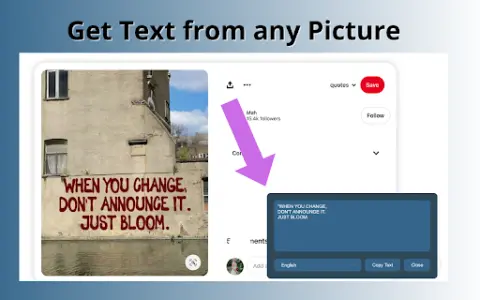
A free web-based tool for extracting text from images using OCR technology.
Introduction
A free web-based tool to extract text from images using OCR technology.
What is Pic to Text Converter ai chrome extension/plugin?
Image to Text Converter is a web-based tool that allows users to extract text from images using optical character recognition (OCR) technology. It supports multiple image formats and languages, providing a free and unlimited way to convert images into editable text.
How to use Pic to Text Converter ai chrome extension/plugin?
To use the image-to-text converter, upload an image via the "Choose File" button or drag and drop it into the input area. Click the "Extract Now" button to start the OCR process. The extracted text will be displayed and can be copied, downloaded or shared.
Pic to Text Converter ai chrome extension/plugin core features
Accurate OCR software
Multi-language support
Easy to share
No installation required
Free and unlimited use
Multi-language support
Easy to share
No installation required
Free and unlimited use
Related
CurseCut
AI-based tools designed to remove profane language from audio and video files.
mavenoid.com
An AI-powered product support platform designed to enhance customer experience and reduce costs.
TTSVox – Free Text to Speech AI
A free online AI tool for converting text to speech, offering unlimited use and support for multiple languages.
SpeakNotes
Tools based on artificial intelligence, used to transcribe and summarize audio and video content into concise summaries.
SlidesOrator
A 3D avatar AI presentation platform offering interactive slides and AI narration.
PDF to MP3
Converting PDF files to MP3 format makes them easier to listen to and study.