AI TOOL / #07326
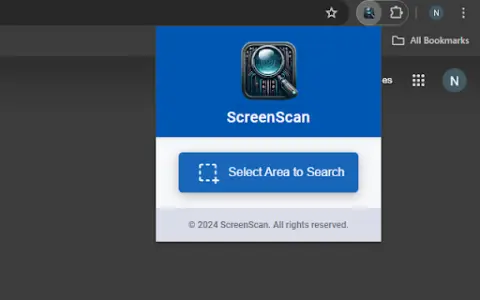
ScreenScan – Instant Screenshot Search
Google Lens: Instantly capture, search, and explore images, videos, and text online.
Introduction
Google Lens: Instantly capture, search, and explore images, videos, and text on the web.
What is the Google Lens AI Chrome extension/plugin?
Google Lens is a powerful tool that allows users to instantly capture, search, and explore any image, video, or text online with a simple tap. It uses advanced image recognition technology to provide relevant information and insights based on what it sees. Whether you want to identify a plant, translate text in real time, find similar products, or learn about a landmark, Google Lens can help you discover more about the world around you.
How do I use the Google Lens AI Chrome extension/plugin?
Simply tap an image, video, or text on a web page, and Google Lens will analyze the content and provide relevant information, search results, and related actions.
Core Features of the Google Lens AI Chrome Extension/Plugin
Image Recognition
Text Translation
Product Identification
Object Recognition
Visual Search
Text Translation
Product Identification
Object Recognition
Visual Search
Related
AI Logo Identifier: Snap, Identify Logos
AI-based applications are capable of instantly recognizing logos and brands and providing detailed information about them.
Manga Translate
An artificial intelligence-driven comic reader and translator that enables fast and accurate translations.
Keep it shot
Mac app for AI-powered screenshots and media file renaming and offline search.
AI Stickers
AI Stickers is a platform for creating custom stickers with AI from text or selfies.
Slid: Smarter Video Note-taking with ChatGPT
A video note-taking tool that integrates ChatGPT to enhance learning effectiveness.
HoneyDo
An AI-powered shopping list app that supports voice and image recognition.