AI TOOL / #07466
Reverse image search by Copyseeker
Copyseeker image search offers advanced image-search capabilities with just a simple right-click operation.
Introduction
Copyseeker Image Search provides advanced image search capabilities through a simple right-click.
What is the Copyseeker Image Search AI Chrome extension/plug-in?
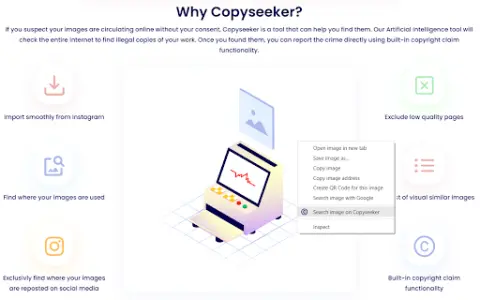
Copyseeker Image Search is a tool designed to enhance the browsing experience by offering advanced image-search capabilities. Users can right-click on any image and select “Search for this image in Copyseeker” to have the image analyzed and obtain detailed information about it.
How to use the Copyseeker Image Search AI Chrome extension/plug-in?
When browsing web pages, right-click on any image and select the option “Search for this image on Copyseeker”. Afterwards, Copyseeker will analyze the image and provide detailed information regarding it.
The core functionality of the Copyseeker Image Search AI Chrome extension/plug-in
Search for images with just one right-click.
Advanced Image Analysis
Fast and efficient results
Privacy-conscious image search
Advanced Image Analysis
Fast and efficient results
Privacy-conscious image search
Related
Mathos AI
An AI math tutor that helps solve problems by taking pictures
Conversease
An AI chat platform interface designed for seamless interaction with OpenAI and Mistral models.
Simply Skills
An artificial intelligence-driven platform connects content creators with verified video editors, enabling efficient recruitment processes.
PlaylistGPT
An AI-driven tool for creating Spotify playlists based on concert posters.
Skin Tone Image Filter
The process of converting the skin tones in an image to grayscale.
Aligifts
Connecting buyers with the global online retail market, which is primarily based in China.