AI TOOL / #08331
Raycast AI Lite
Productivity tools that integrate AI, offer expansion capabilities, and allow for customization.
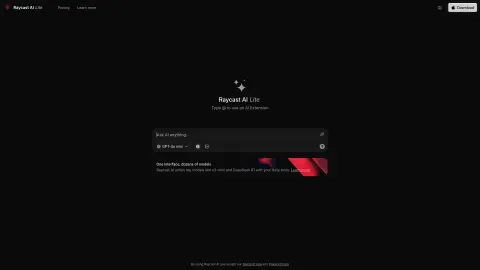
Introduction
Productivity tool with AI, extensions, and customizable features.
What is Raycast?
Raycast is a productivity tool that combines cutting-edge AI technologies with powerful expansion capabilities, and it runs directly on your operating system. It offers both a free version, Raycast AI Lite, and a Pro version, which includes additional features such as AI support, cloud synchronization, and custom themes. Raycast is designed to serve as a fast and efficient way to perform various tasks, providing users with a range of powerful tools all within a single, scalable interface.
How to use Raycast?
Raycast can be downloaded and installed on your operating system. Once installed, you can use it as a launcher to access a variety of tools and extensions. The Pro version unlocks additional AI features, cloud synchronization, and custom themes.
The core functionality of Raycast
AI chat
clipboard history
Quick link
calculator
code snippet
Emoji Selector
Window management
expand
Cloud Sync (Pro)
Custom Theme (Pro)
clipboard history
Quick link
calculator
code snippet
Emoji Selector
Window management
expand
Cloud Sync (Pro)
Custom Theme (Pro)
Related
CloseChat
An alternative to ChatGPT/Claude, featuring a pay-as-you-go pricing model and a range of powerful features.
MyShell
MyShell is a platform for creating and interacting with AI-powered virtual beings.
Deeper app
Deeper generates relational questions driven by AI, enabling more in-depth conversations.
Hello History: AI ChatBot
An application based on artificial intelligence, designed for engaging in conversations with historical figures.
Cognitiev PRO
An AI platform that provides voice AI solutions for businesses.
Hi Chat Assistant
Artificial intelligence sales chatbot for websites and WhatsApp to automate customer service and increase sales.