AI TOOL / #08693
getnametag.com
An authentication solution for help desks designed to prevent cyberattacks and reduce IT costs.
Introduction
Identity verification solution for helpdesks to prevent cyberattacks and reduce IT costs.
What is a nametag?
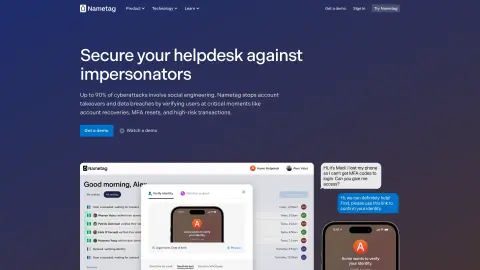
Nametag is a tool that provides authentication and identity proofing solutions for help desks. It helps prevent social engineering and impersonation, which are present in up to 90% of cyber attacks. Nametag authenticates customers and employees in 30 seconds, reducing IT costs during high-risk moments and preventing data breaches and ransomware attacks.
How to use nametag?
Nametag prompts users for verification via support chat, SMS, or other channels. Users can click on a link or scan a QR code to open the experience on their device. Verification results are updated in real time to the console for review by help desk staff.
Nametag core features
Help desk authentication
Proof of identity
Prevent social engineering
Passwordless multi-factor authentication
AI detection model
Digital identity verification
Verification certificate
Proof of identity
Prevent social engineering
Passwordless multi-factor authentication
AI detection model
Digital identity verification
Verification certificate
Related
Quetext
Plagiarism detection tools and artificial intelligence-based content analyzers, which also include functionality for rewriting and citing sources.
CoverSentry
Using AI to write cover letters? It’s best to scan it before sending.
VeriTweets – Fact-Check Tweets Instantly
An AI-powered tool for instantly verifying the facts in X/Twitter tweets.
YouTube Copilot
Chrome extension to skip ads, titles, trailers, feeds, and search YouTube videos.
Second Opinion
Use Grok AI to verify the accuracy of content and identify any inaccuracies or deviations.
Ouriginal for Google Classroom Extension
Ouriginal integrates with Google Classroom to perform plagiarism analysis and detection.